


In today’s digital world, staying safe online is more important than ever. You likely spend a significant amount of time on social apps, sharing moments and connecting with others. However, it’s crucial to be aware of the information you’re sharing and who can see it.
Being mindful of your online security means taking control of your privacy settings. By adjusting these settings, you can ensure that your personal information is protected and only shared with those you trust. This not only enhances your digital safety but also gives you peace of mind.
Key Takeaways
- Regularly review your privacy settings on social apps.
- Understand what information is being shared and with whom.
- Adjust your settings to control who sees your personal information.
- Stay informed about online security best practices.
- Take proactive steps to enhance your digital safety.
Why Privacy Settings Matter in Today’s Digital Landscape
In today’s digital age, understanding and managing privacy settings is crucial for protecting your online presence. As you engage with various social apps and platforms, you’re constantly sharing personal data that can be used in numerous ways.
The Rising Concerns of Data Collection
Data collection has become a significant concern, with many platforms gathering vast amounts of user information. This data can include your browsing history, location, and personal preferences.
Potential Risks of Neglecting Privacy Settings
Neglecting to manage your privacy settings can expose you to various risks, including identity theft, targeted scams, and unwanted data sharing. It’s essential to be proactive in safeguarding your online information.
Benefits of Taking Control of Your Digital Privacy
By taking control of your digital privacy, you can enjoy several benefits, including enhanced security and a reduced risk of data breaches. The following table highlights some key advantages:
| Benefit | Description |
|---|---|
| Enhanced Security | Protects your personal data from unauthorized access |
| Reduced Risk of Data Breaches | Minimizes the likelihood of your data being compromised |
| Increased Control | Gives you more control over how your data is used and shared |
Understanding Your Digital Footprint on Social Media
As you navigate the world of social media, it’s essential to understand the digital footprint you’re creating online. Your digital footprint encompasses all the data you generate while using social media platforms, including your interactions, preferences, and personal details.
What Information Social Apps Typically Collect
Social media apps collect a wide range of information, from basic profile details to your browsing history and location data. This data is used to create a more personalized experience for you, but it also raises important questions about privacy and data protection.
How Your Data May Be Used by Platforms and Third Parties
The data collected by social media platforms can be used in various ways, including targeted advertising and improving user experience. Additionally, this data may be shared with third-party services, which can further increase the risk of data breaches or misuse.
Identifying Your Personal Privacy Priorities
To effectively manage your digital footprint, you need to identify your personal privacy priorities. Consider what information you’re comfortable sharing, and what measures you’re willing to take to protect your data. By being more mindful of your online activities, you can take the first steps towards maintaining a more private and secure online presence.
Digital Safety Review: Privacy Settings on Social Apps Explained
As you navigate the world of social media, it’s essential to grasp the privacy controls available to you. Social apps offer various settings that allow you to manage your digital footprint and protect your personal information.
Basic vs. Advanced Privacy Controls
Most social media platforms provide both basic and advanced privacy controls. Basic settings typically allow you to control who can see your posts and profile information. Advanced settings, on the other hand, offer more granular controls, such as managing data sharing with third-party apps and customizing ad preferences.
For instance, on Facebook, you can choose to limit who can see your future posts, or you can review and update your profile information visibility. Understanding the difference between these settings can help you tailor your privacy to your comfort level.
Common Privacy Settings Across Platforms
While specific settings may vary, many social apps share common privacy options. These include controls for profile visibility, post visibility, and data sharing. For example, Instagram and TikTok allow you to switch your account to private, limiting who can view your content.
How to Access Privacy Dashboards on Major Apps
Accessing privacy dashboards is typically straightforward. On Facebook, you can find privacy settings under “Settings & Privacy.” On Instagram, you can adjust privacy settings by going to your profile, tapping the three horizontal lines, and selecting “Settings.”
Regularly reviewing these settings is crucial to maintaining your desired level of privacy. By understanding and utilizing these privacy controls, you can significantly enhance your digital safety on social media.
Step-by-Step Guide to Reviewing Facebook Privacy Settings
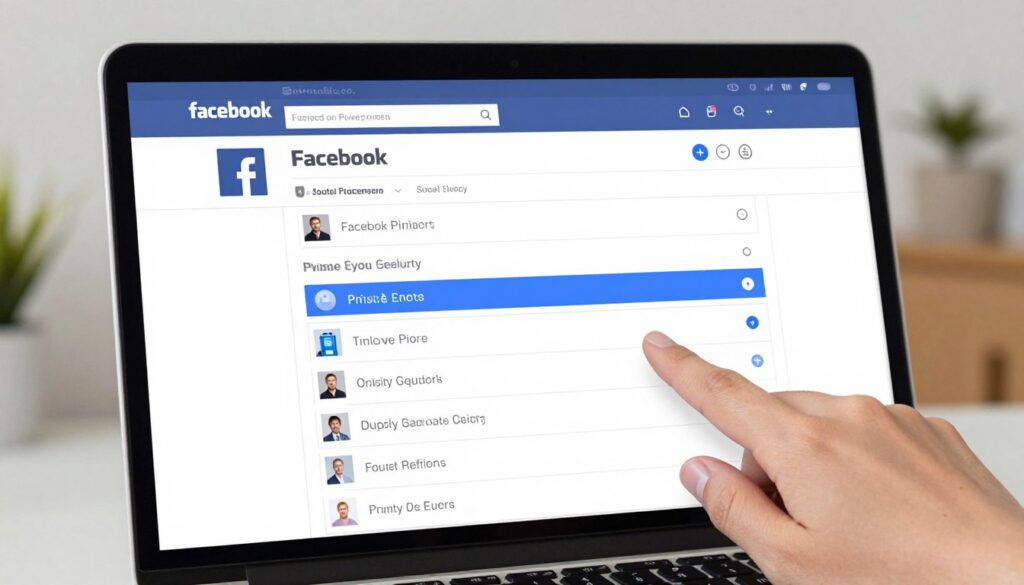
With data privacy concerns on the rise, reviewing your Facebook privacy settings is a vital step in protecting your online presence. Facebook offers a range of privacy controls that allow you to manage who sees your information, how your data is used for advertising, and even how your activity off the platform is tracked.
Profile Privacy Controls and Audience Settings
To start, navigate to your Facebook settings by clicking on the down arrow in the top right corner of your Facebook page and selecting “Settings & Privacy.” Then, click on “Settings.” Here, you’ll find “Privacy” settings where you can control who can see your profile, posts, and other information. Adjust your profile privacy settings to limit who can see your profile picture, cover photo, and bio.
Post Visibility and Tagging Settings
Under the “Privacy” settings, you can also manage your post visibility. Choose who can see your future posts, and review your past posts to change their visibility. Additionally, you can control how people can find you on Facebook and manage tagging settings to prevent unwanted tags from appearing on your profile.
Ad Preferences and Data Sharing Options
Facebook uses your data to personalize ads. To manage this, go to “Ad Preferences” in your settings. Here, you can adjust your ad settings to limit the data used for ad personalization. Moreover, you can control data sharing from third-party apps and websites.
Limiting Data Collection Through Facebook’s Off-App Activity
Facebook tracks your activity off their platform to personalize your experience and ads. To manage this, go to “Your Facebook Information” > “Off-Facebook Activity.” Here, you can see a summary of your off-platform activity and choose to clear your history or manage future activity.
| Privacy Setting | Description | Action |
|---|---|---|
| Profile Privacy | Control who can see your profile information | Adjust in “Settings” > “Privacy” |
| Post Visibility | Manage who can see your posts | Change in “Settings” > “Privacy” |
| Ad Preferences | Limit data used for ad personalization | Adjust in “Ad Preferences” |
Securing Your Privacy on Instagram, Twitter, and LinkedIn
As you expand your online presence across various social media platforms, it’s crucial to understand how to secure your privacy on Instagram, Twitter, and LinkedIn. Each of these platforms offers unique features and privacy settings that require attention to detail.
Instagram Account Privacy and Content Controls
On Instagram, you can control who sees your posts and stories by adjusting your account privacy settings. To do this, go to your profile, tap the three horizontal lines, and select “Settings.” Then, toggle on “Private Account” to approve or reject follower requests.
Twitter Privacy and Data Sharing Settings
Twitter allows you to control who can see your tweets and interact with you. Go to “Settings and privacy” > “Privacy and safety” to adjust your tweet privacy and data sharing preferences. You can also review your account information and adjust ad preferences.
LinkedIn Privacy Options for Professional Networking
LinkedIn provides various privacy settings to manage your professional presence. Navigate to “Settings” > “Privacy” to control who can see your profile, connections, and activities. You can also manage how LinkedIn uses your data for advertising and other purposes.
Managing Connection and Visibility Settings
On LinkedIn, managing your connections and visibility is crucial. You can choose to appear in search results, control who can see your connections, and decide how you appear when viewed by others. Adjust these settings under “Settings” > “Privacy” > “How others see your LinkedIn activity.”
| Platform | Private Account Option | Data Sharing Controls | Ad Preferences |
|---|---|---|---|
| Yes | Limited | Yes | |
| Yes (Protected Tweets) | Yes | Yes | |
| No | Yes | Yes |
By understanding and adjusting the privacy settings on Instagram, Twitter, and LinkedIn, you can significantly enhance your online security and control your digital footprint.
TikTok and Snapchat: Optimizing Privacy for Video-Based Platforms
As you continue to navigate the world of social media, it’s essential to understand how to protect your privacy on video-based platforms like TikTok and Snapchat. These platforms have unique features that require specific privacy considerations.
TikTok Privacy Settings Walkthrough
To optimize your privacy on TikTok, start by making your account private. This setting allows you to control who can view your videos. Go to your profile, tap the three dots, and select “Privacy.” Here, you can also manage who can react to your videos and comment on them.
Snapchat Privacy and Location Settings
On Snapchat, you can manage your privacy by controlling who can contact you and view your stories. Go to your profile, tap the gear icon, and select “Privacy Controls.” You can also manage your location settings by choosing who can see your location or turning it off entirely.
Content Discoverability and Interaction Controls
Both TikTok and Snapchat allow you to control how your content is discovered by others. On TikTok, you can disable “Suggest your account to others,” while on Snapchat, you can manage who can see your stories and how you appear in friend suggestions.
Managing Permissions for Camera and Microphone Access
Ensure that you review the permissions you’ve granted to these apps. For both TikTok and Snapchat, you can manage camera and microphone access in your device’s settings. 
Advanced Privacy Protection Strategies for Social Media
To truly secure your online identity, you need to go beyond the basics and implement advanced privacy protection measures. As you continue to use social media, it’s crucial to stay ahead of potential threats by adopting robust security strategies.
Implementing Two-Factor Authentication Across Platforms
One of the most effective ways to enhance your social media security is by enabling two-factor authentication (2FA). This adds an extra layer of protection, making it much harder for unauthorized users to access your accounts. Most major platforms, including Facebook, Instagram, and Twitter, offer 2FA options. To activate it, typically, you’ll need to go to your account settings, find the security or login section, and follow the prompts to set up 2FA.
Conducting Regular Privacy Checkups and Audits
Regularly reviewing your privacy settings is vital to maintaining your online security. Schedule periodic checkups to ensure your settings are up-to-date and aligned with your privacy preferences. This includes checking who can see your posts, managing your friend or follower lists, and reviewing the permissions you’ve granted to third-party apps.
Managing Connected Apps and Third-Party Services
Many social media platforms allow you to connect third-party apps and services, which can enhance your experience but also pose privacy risks. Regularly audit these connected apps and revoke access to any that you no longer use or trust. This helps minimize potential vulnerabilities in your accounts.
Privacy Tools and Browser Extensions for Enhanced Protection
Utilizing privacy-focused tools and browser extensions can further bolster your online security. Consider using extensions that block trackers, encrypt your data, or alert you to potential phishing attempts. Some popular options include privacy-focused browsers and extensions designed to enhance your social media security.
| Tool/Extension | Purpose | Compatibility |
|---|---|---|
| Privacy Badger | Blocks trackers and ads | Chrome, Firefox |
| HTTPS Everywhere | Encrypts your browsing data | Chrome, Firefox |
| uBlock Origin | Blocks ads and trackers | Chrome, Firefox, Safari |
By implementing these advanced privacy protection strategies, you can significantly enhance your security on social media. Stay proactive and keep your online presence secure.
Conclusion
As we’ve explored throughout this digital safety review, managing your privacy settings is crucial for protecting your online presence. By understanding and adjusting your privacy settings summary across various social apps, you can significantly enhance your online security.
To recap, we’ve covered the importance of privacy settings on major platforms like Facebook, Instagram, Twitter, LinkedIn, TikTok, and Snapchat. We’ve also discussed advanced privacy protection strategies, including two-factor authentication and regular privacy checkups, to provide you with online security tips.
Now, it’s your turn to take action. Review your privacy settings on each social app you use, and consider implementing the strategies we’ve outlined. By doing so, you’ll be better equipped to safeguard your digital footprint and enjoy a more secure online experience.
Staying on top of your digital safety is an ongoing process. As social media platforms evolve, it’s essential to regularly revisit your privacy settings and stay informed about the latest online security tips. By being proactive, you can protect your online presence and maintain control over your digital safety.